

Poker Blind Timer: Setup and Structure Examples
Updated:
A smooth Texas Hold'em home game needs a system that increases the blinds (forced bets) at regular intervals. Just Poker Chip includes a blind timer by default, so no one has to manage the clock manually.
- Fully automatic increases: The small and big blinds increase automatically at each interval, such as every 10 or 15 minutes, and every device is notified.
- Flexible settings: Adjust the pace from relaxed beginner games to fast tournament play.
- No separate timer needed: There is no need for a separate physical timer or stopwatch app.
What Is a Blind Timer?
In poker tournaments and home games, the small and big blinds usually rise in stages at fixed intervals to keep play moving. A casino dealer manages this in a card room, but home games often rely on one player watching a phone timer and announcing each increase.
It is easy to lose track of time during a game or forget the current blind level. The blind timer automates that work and prevents confusion.
Just Poker Chip Blind Timer Features
🔄 Automatic Blind Increases
When the selected interval ends, the blinds automatically advance to the next level. No one needs to manage them manually, and the new amounts appear immediately on every player's screen.
⚙️ Customizable Settings
Customize the blind interval in minutes and the starting blind amounts. Choose settings for anything from a quick casual game to a longer session at a relaxed pace.
🔔 Notifications for Every Player
When the blinds increase, a notification appears for everyone at the table. Players no longer need to ask about the current level, which keeps the game moving smoothly.
How to Use the Timer
You can configure the blind timer with just a few taps while creating a table.
Turn on the Blind Timer toggle when creating the table.
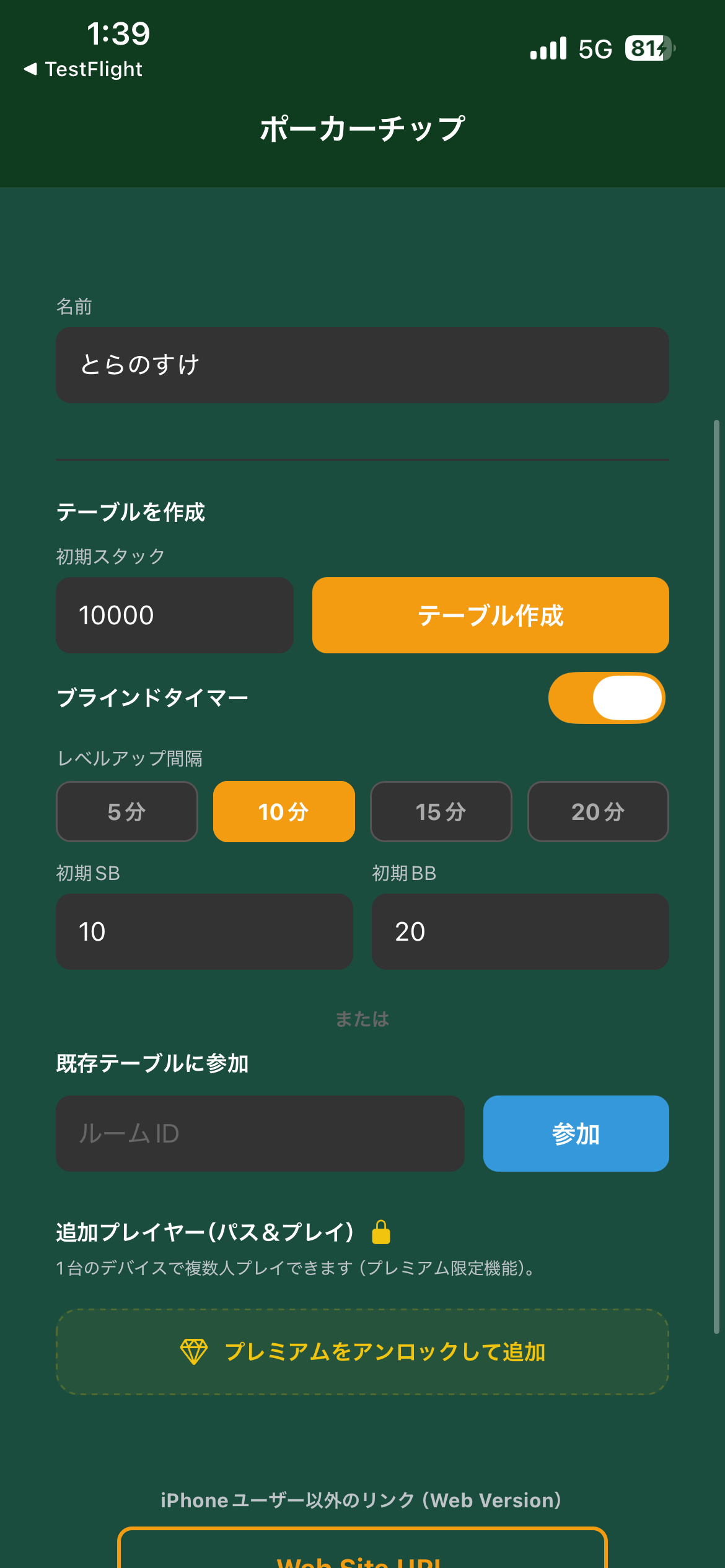
Choose how often the blinds increase. You can also adjust the starting blind amounts.
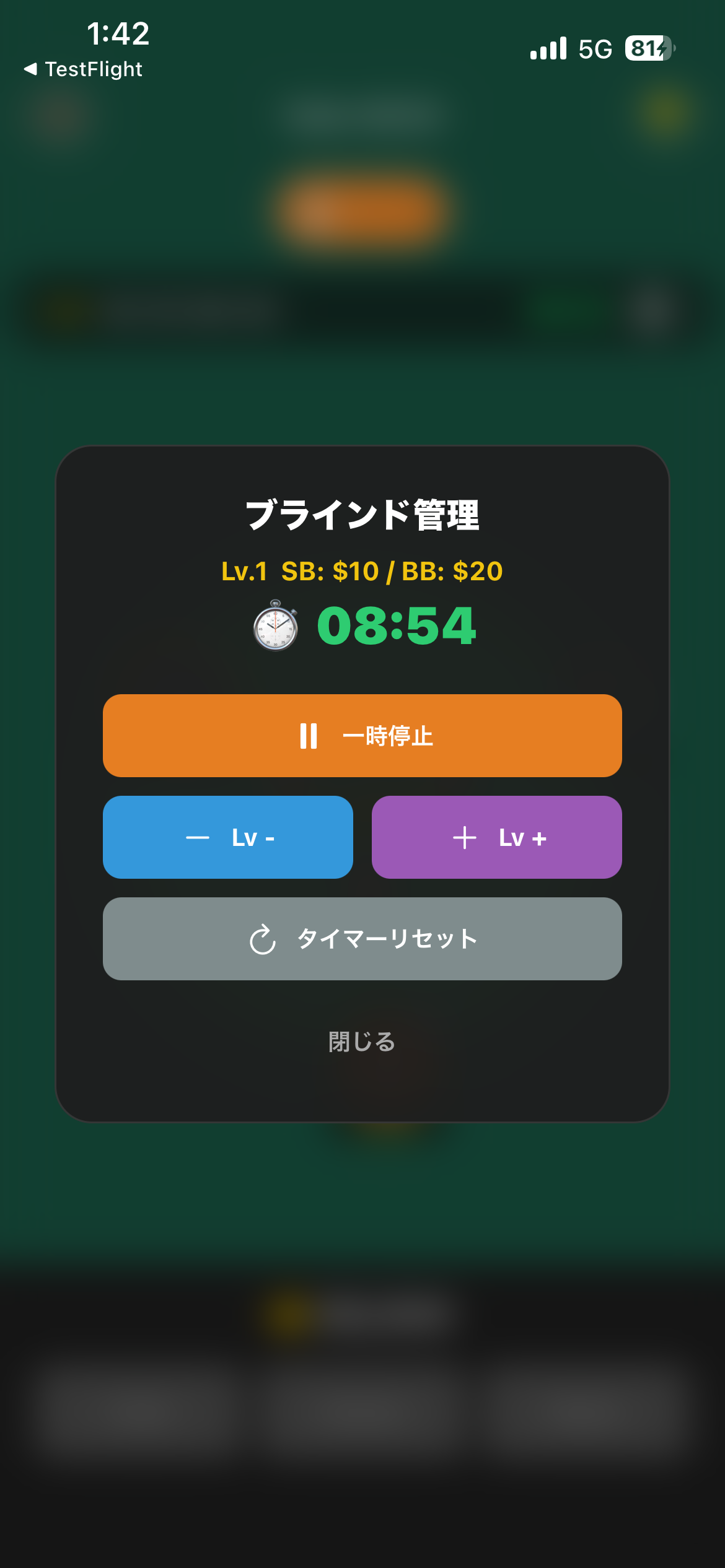
When the game begins, a countdown appears on screen. At zero, the blinds increase automatically and every player is notified.
Suggested Blind Structures
These sample blind structures work well for home games. Adjust them for your player count and target game length.
🟢 Casual (Beginners and Short Games)
Use longer 15 to 20-minute levels for a relaxed pace.
| Level | SB | BB | Interval |
|---|---|---|---|
| 1 | 10 | 20 | 15 min |
| 2 | 20 | 40 | 15 min |
| 3 | 30 | 60 | 15 min |
| 4 | 50 | 100 | 15 min |
| 5 | 100 | 200 | 15 min |
🔴 Tournament (Experienced Players and Faster Games)
Use shorter 8 to 10-minute levels for a faster, more intense game.
| Level | SB | BB | Interval |
|---|---|---|---|
| 1 | 25 | 50 | 8 min |
| 2 | 50 | 100 | 8 min |
| 3 | 75 | 150 | 8 min |
| 4 | 100 | 200 | 10 min |
| 5 | 150 | 300 | 10 min |
| 6 | 200 | 400 | 10 min |
Frequently Asked Questions
Q: Can I pause the blind timer during a game?
Yes. The host can pause or resume the timer at any time, which is useful for breaks or rules questions.
Q: Can I play without the blind timer?
Yes. The timer is optional. To play with fixed blinds, create the table with the timer disabled.
Q: Can I enable the timer after a game has started?
In the current version, the timer can only be configured when a table is created. It cannot be changed mid-game, but you can create a new table with the desired setting.